Rebuilding Cesarcouto.com with Laravel
October 6, 2024 • 8 min read
It's 2024, and the tech world is as fast-paced as ever, with new frameworks and tools emerging almost daily—especially in the JavaScript ecosystem. In comparison, PHP developments might seem more compact, but the standout framework in this space is definitely Laravel. As a custom PHP developer, I've always preferred building things myself—from the back-office code to databases and user integration. I’m not particularly fond of frameworks because they often impose a rigid structure that conflicts with my own preferences. WordPress, for instance, never appealed to me because of its all-in-one database schema, which can create performance issues in the long term due to its dependence on caching.
That said, I wanted to explore new frameworks to see if I was missing out on anything interesting. So, I decided to rebuild this website with Laravel, while also tackling another project, Azores.Surf, using Astro.
Getting Started: Setting Up Laravel
The rebuild of my personal site is still a work in progress, but I've managed to get quite far in about two weeks (around 30 hours of spare time). The principle that guided me through the process was simplicity—embracing the KISS concept: Keep It Simple, Stupid. I wanted to keep everything compatible with my current server setup, which still uses old-school shared hosting. Laravel posed an initial challenge here, as it tends to favor environments like NGINX over Apache due to better performance and scalability. It also requires terminal commands to work with Artisan, build systems, and symlinks for local storage. And if you want to access some of Laravel’s more advanced features, SSH access is pretty much mandatory.
To overcome this, I rented a basic Hetzner server and installed Caddy (a new and surprisingly effective tool for me), along with MariaDB, and got everything set up for Laravel. I chose Caddy over alternatives like NGINX or Apache due to its ease of use, automatic HTTPS, and straightforward configuration.
Navigating Laravel's Paid Ecosystem
While Laravel itself is open source, much of its ecosystem involves paid tools, which didn't sit well with me. I understand developers need to get paid for their work, but coming from PHP, where there are countless high-quality free solutions, it was a bit of a culture shock. Here's a quick overview of some of the paid options I encountered:
Herb (only supports NGINX; the Apache request on GitHub was dismissed with a thumbs down) - $100/year
- Forge - $200/year
- Vapor - $450/year
- PHPStorm - $100/year
- Thinkerwell - $50/year
- Ray Debugger - $50
- Laravel Nova - $100/year
- Flux UI - $129 per project
Given the pricing, I decided to stick with a simple text editor (Zed, which is fantastic) and skip the paid tools. My biggest challenge, however, was the back-office. Usually, I build everything from scratch, but I was hoping to use Laravel's built-in solutions. Without Laravel Nova, I tried Filament, which is an excellent alternative but lacks the design polish I wanted, such as more refined UI components, better visual consistency, and customizable themes that align with modern design trends. Since I'm also a web designer, having control over the UI was crucial. So, once again, I decided to build my own custom back-office.
Custom Back-Office Development
At the time, my site consisted of a homepage slideshow, a photo albums page, a couple of static videos, and an about me page. Since I was rebuilding from scratch, I figured I’d do it right. I expanded the project to include a proper photo archive, prioritizing albums and adding a section for standalone shots I wanted to display. I also decided to add a blog. The database structure needed to support searching, filtering by categories, tags, and colors—small but important improvements that make managing and browsing content a lot more pleasant.
Database Design
Here’s my current database schema:
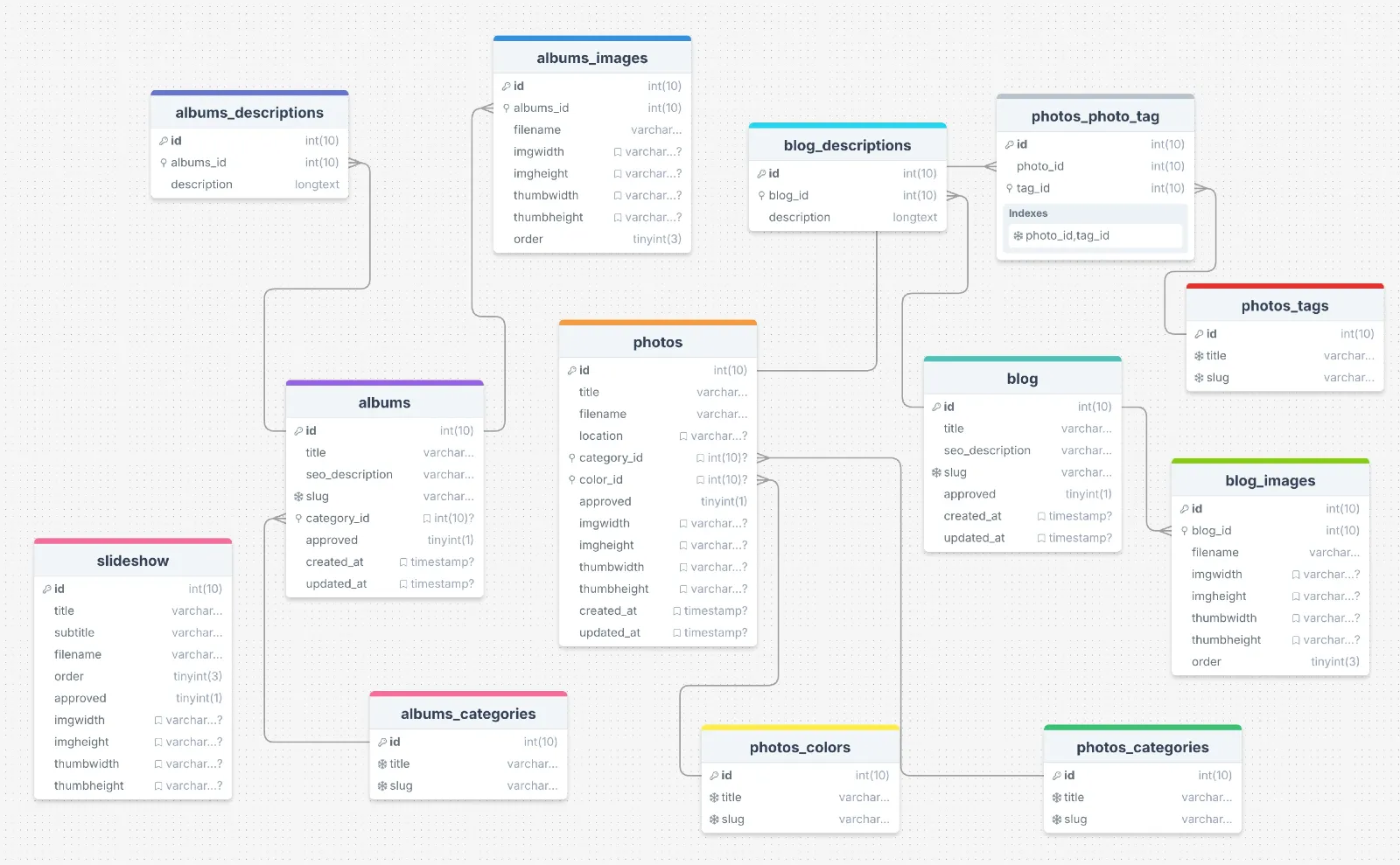
I separated content from the main tables because long text fields can be memory-intensive. By splitting them, there may be more queries, but they are faster, and the performance benefits become more apparent as the dataset grows. For example, keeping long blog posts or descriptions in separate tables allows the main tables to stay lightweight, making common queries (like fetching a list of items) significantly faster. I'll write a dedicated blog post about this topic in the future.
Note: After writing this article, I decided to switch from MariaDB to SQLite. I had always been curious about making the switch, so I did—until I encountered some issues with foreign key constraints. Apparently, you have to set PRAGMA foreign_keys = ON, and this setting isn't permanent but stored per session. Additionally, I couldn't find a local editor for SQLite that came close to the MySQL/MariaDB editors I use on macOS. So, for now, it's still not the right time to switch...
Laravel Migrations: Love-Hate Relationship
Laravel migrations were a mixed bag for me. I'm used to making changes directly in the database—for example, modifying a VARCHAR field size—without having to create a new migration for every small update. However, using migrations helps maintain version control and ensures consistent schema changes across different environments, which is a significant advantage for team collaboration and deployment. It felt cumbersome to create and maintain migrations as I iterated on my schema, and I wasn't a fan of relying on commands like rollback, migrate:fresh, or merging migrations using MySQL dumps. Laravel’s migration system obscures the database structure in a way that made it hard to keep things organized.
Additionally, Laravel defaults to using BIGINT for IDs and automatically includes created_at and updated_at fields unless you explicitly disable them. This is likely done to future-proof the application for handling a large number of records. While you can customize nearly everything, it involves learning Laravel's way of doing things, which sometimes felt like overkill—especially for something like a category table that doesn’t need a BIGINT for its ID.
Enhancements and Features
Despite these challenges, I managed to complete the back-office. Here are some of the UI features I implemented:
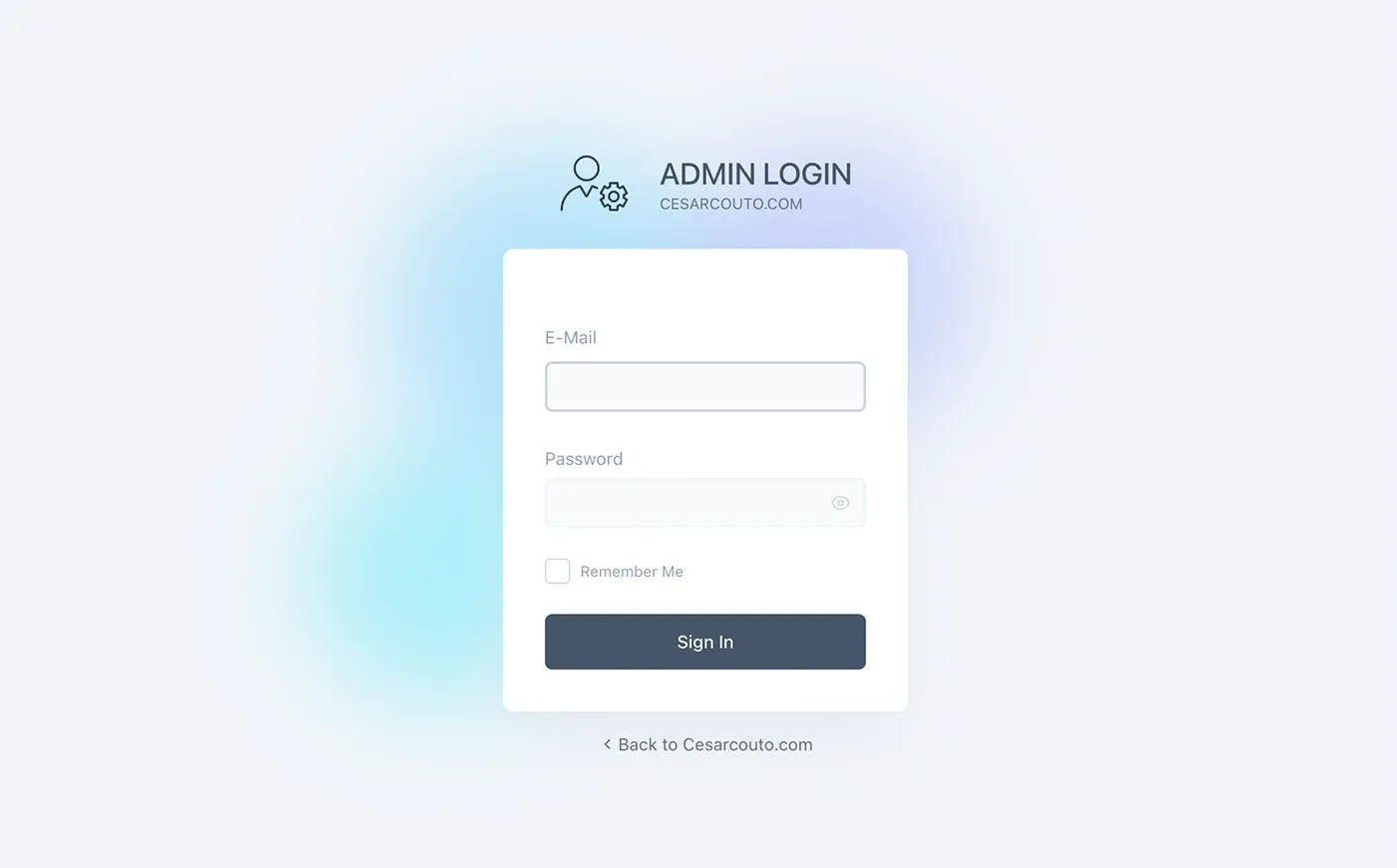
- Custom Back-Office Design - replicating the design I use in my other projects.
- Drag-and-Drop Slideshow Ordering and Image Gallery Ordering.
- Custom FilePond Integration - automatically rescales and converts images to WebP on the client side, reducing server load and speeding things up. Also every image upload includes it's own automatic thumbnail creation.
- Quick Toggle for Content Approval.
- Markdown Editor - I used TUI Editor for markdown and integrated image handling. Markdown gives me cleaner HTML output compared to typical WYSIWYG editors, and I can use Tailwind Prose for styling, which gives me greater flexibility.
- Cloudflare R2 for Storage - Replaced local storage with R2, taking advantage of their generous free tier (thanks, Cloudflare! But don't charge me later please).
Multiple Vite, Tailwind, and Build System Challenges
I wanted the back-office and frontend to have distinct structures, including separate Tailwind and JavaScript processing. This led to issues with Vite and hot reloading—especially since globally defined Tailwind settings were interfering with my setup. After hours of troubleshooting, I found a solution involving a single Vite instance but specifying separate Tailwind CSS base files for different configurations. It worked, but getting Vite's hot reload to cooperate with the newer view transitions was still a headache.
In my normal process, I use two build scripts—one for the website and one for the back-office. One script runs Tailwind on the fly, optimizing the CSS, while the other uses Bun to compile and minify JavaScript. This setup works for me because I prefer a lightweight approach: I update my sites via FTP (yes, FTP!) and version my assets with timestamps to bypass cache issues. It’s simple, quick, and effective—especially on shared hosting.
Reflections on Laravel
Living on a small island, many of my clients use shared servers and aren't interested in paying for cloud hosting or server management. This means I still rely on traditional hosting setups, and Laravel's complexity sometimes feels excessive in this context. For example, deploying changes involves running commands like php artisan optimize, and Syncing databases between local and production environments can be tricky if you use Laravel's default session handling. You need to create custom table backups and manage sessions carefully to avoid conflicts between environments.
Despite all this, I did eventually get everything working. The tiny Hetzner server might struggle with this setup, and if it does, I may end up rewriting the entire site using my usual custom PHP approach. That said, I appreciate the Laravel ecosystem. It's powerful and feature-rich, but if you strip away the paid tools, things get a bit more challenging. The more you delve into Laravel, the deeper the dependencies become—much like other popular frameworks.
For now, I'm happy to continue learning and improving this project as I explore more of what Laravel has to offer. In the coming days, I'll begin uploading my photos and albums, complete the website design, and focus on SEO, minor optimizations, and micro animations for the frontend. While the most complex backend work is already done, I'll continue to make improvements as I go.